A space for every account.
Separate profiles keep your sign-ins apart and your sessions easy to find.
 MultiPlay
 MULTIPLAY FOR XBOX CLOUD GAMING
Xbox Cloud Gaming. Separate accounts. All running together.
See it in action ↓Built for Windows · Made for your setup
01 / THE WORKSPACE
Separate sign-ins. A single workspace to manage them.
Your sessions, together.
No matching profiles. Try a different search.

02 / FIND YOUR FLOW
Keep the setup simple. Make room for the game.
Separate profiles keep your sign-ins apart and your sessions easy to find.
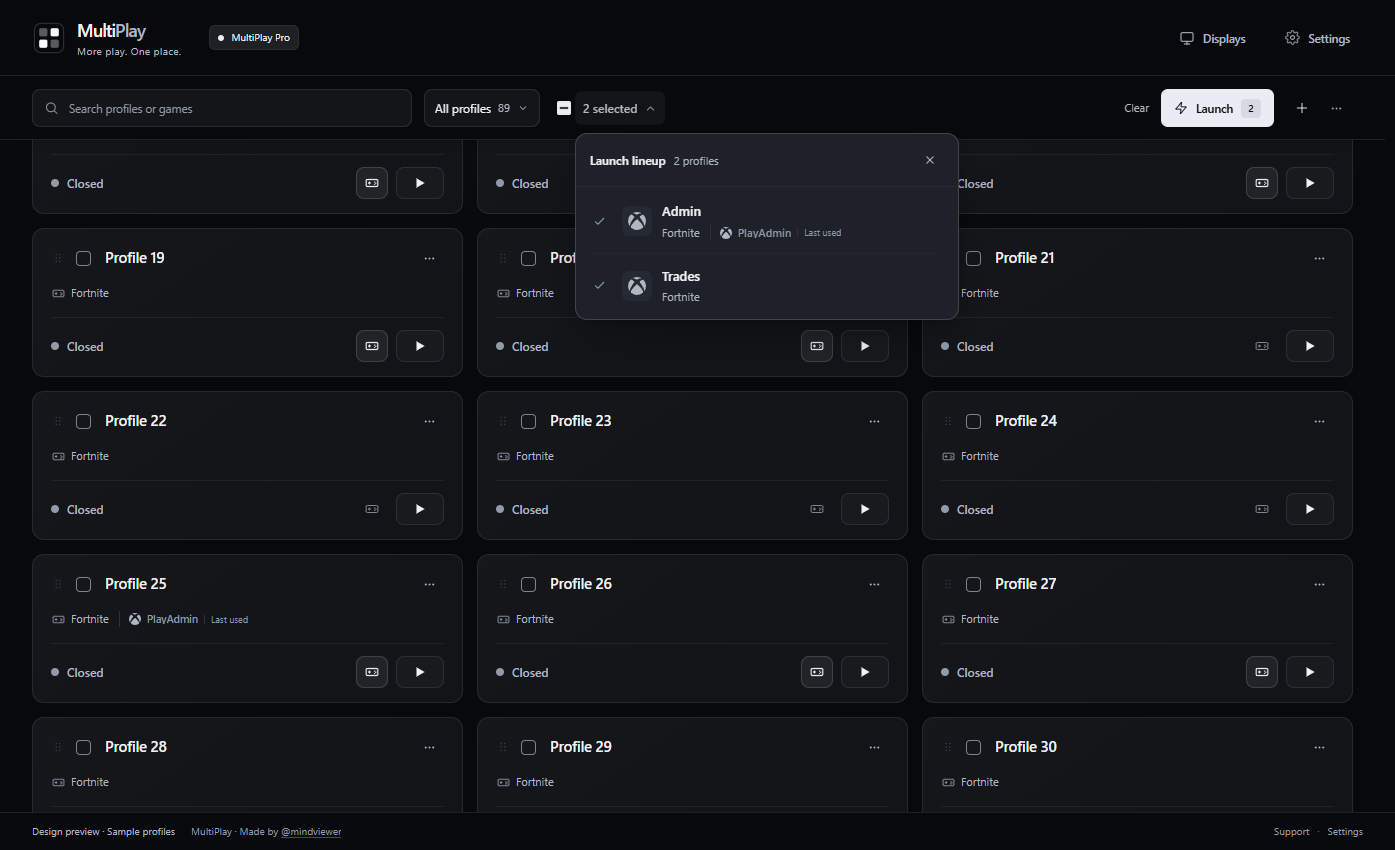
Select the profiles you want, review your selection, and launch them together.
Bring your sessions together across your displays. Less window hunting, more time in the game.
03 / BUILT FOR YOUR SCREENS
Landscape. Portrait. Side by side.
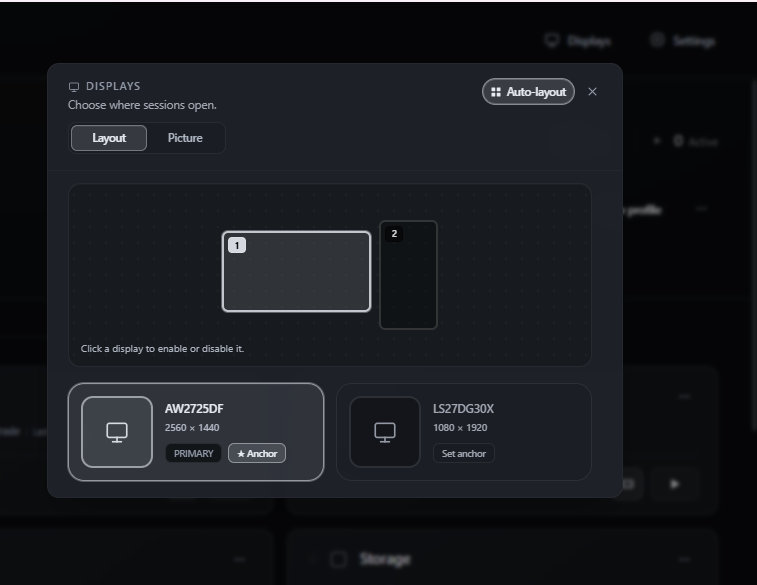
Put your sessions where they belong.
YOUR SETUP, MAPPED OUT
Choose which screens your sessions open on. Set an anchor display and use Auto-layout to bring your setup together.
A BETTER LOOK, SCREEN BY SCREEN
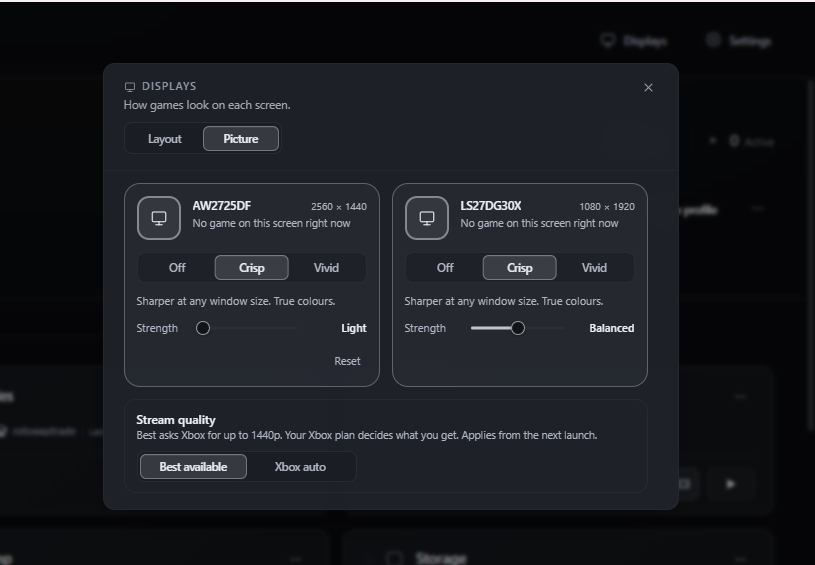
Fine-tune the picture on each monitor. Choose Crisp or Vivid, then dial in the strength to suit your screen.
Prefer a sharper stream? Best available requests up to 1440p from Xbox. The quality you receive depends on your Xbox plan and applies from the next launch.
04 / YOUR NEXT SESSION
Start free with two accounts. Upgrade when you need more room.
GET TO KNOW MULTIPLAY
$0
Two simultaneous accounts. Separate sign-ins, one workspace.
Download availabilityMULTIPLAY PRO
$7 USD / month
More accounts. The complete workspace. Billed monthly until canceled.
MULTIPLAY PRO · SAVE $17 A YEAR
$67 USD / year
All the same Pro features. Billed annually until canceled.
Prices in USD. Cancel renewal from your account. Each Xbox account needs its own eligible Xbox Cloud Gaming access; MultiPlay does not include games or an Xbox subscription.
YOUR MULTIPLAY ACCOUNT
Loading account options…
BEFORE YOU PLAY
The Windows download will appear here when the v1 installer is ready. Sign in with the same MultiPlay account on the website and in the app to access your subscription.
No. MultiPlay manages your sessions. Each account must have eligible Xbox Cloud Gaming access, and available games and stream quality depend on Xbox.
Yes. Use Manage billing to cancel renewal, update your payment method, or view your invoices. Your paid access continues until the current billing period ends.
Pro activates after the billing service confirms your payment. If it takes a moment, refresh your plan in the app or on this page.